Ready
FluxMQ is a multi-protocol message broker supporting multiple versions of MQTT, AMQP, and HTTP. Running a message broker in production without observability means guessing. You know messages are flowing, but how many clients are connected? Which sessions are active or stale? Are all cluster nodes healthy? Which topics are active right now?
The FluxMQ dashboard answers these questions out of the box.
What the Dashboard Shows
The dashboard is a Next.js application that talks to the FluxMQ Admin API. It’s organized around four views:
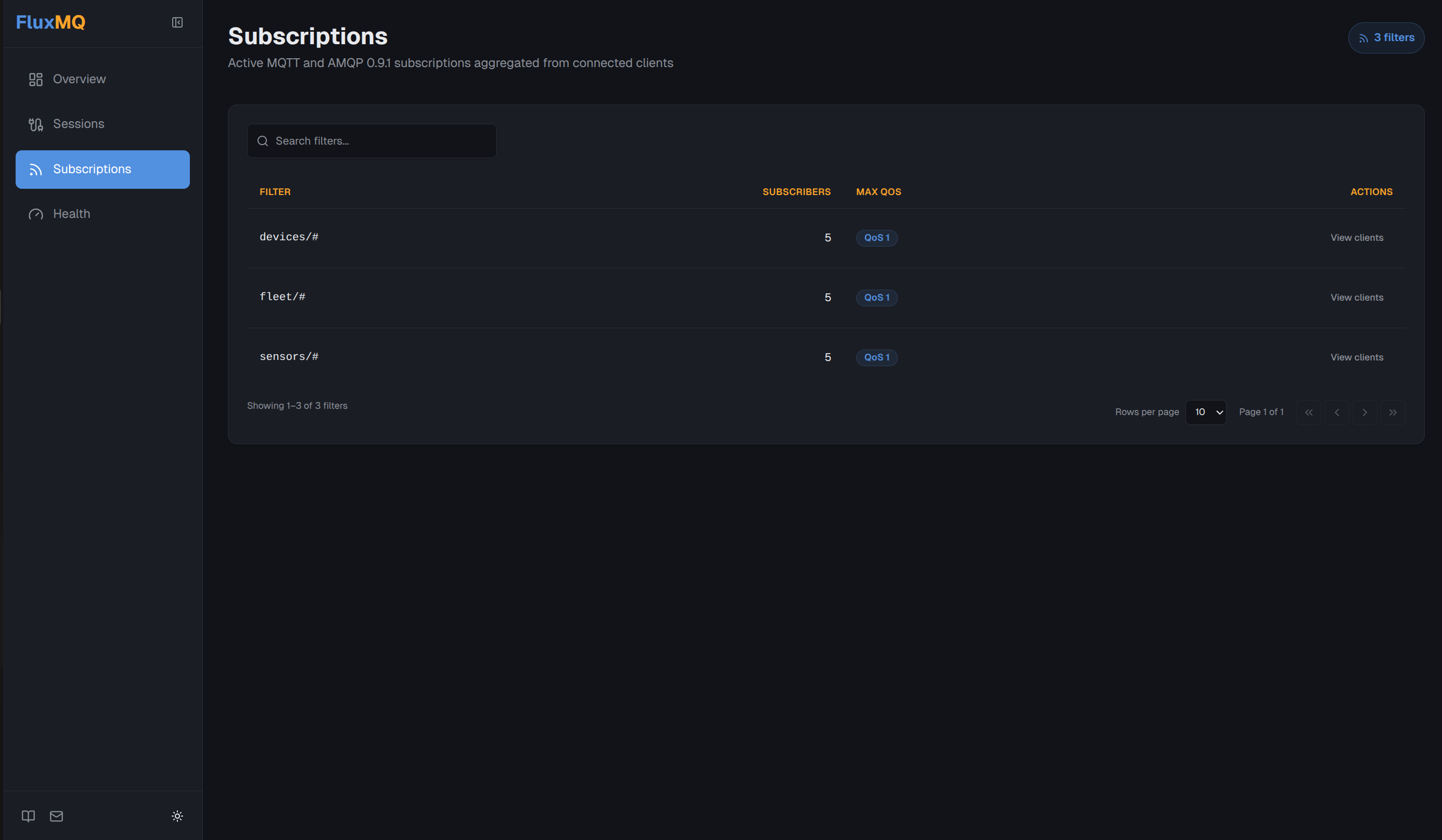
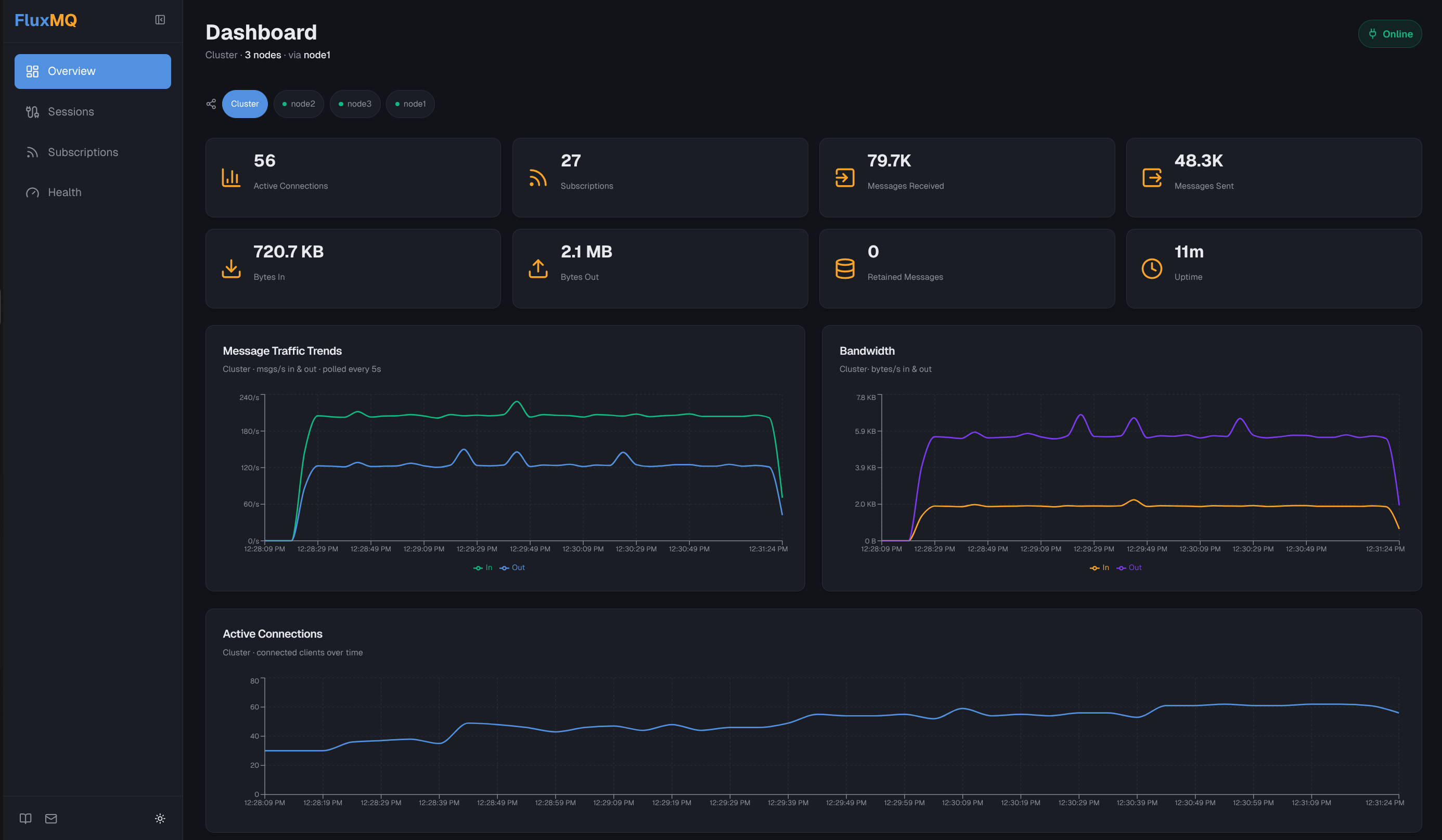
- Overview — live message throughput charts, bandwidth trends, and a cluster node table with per-node health at a glance
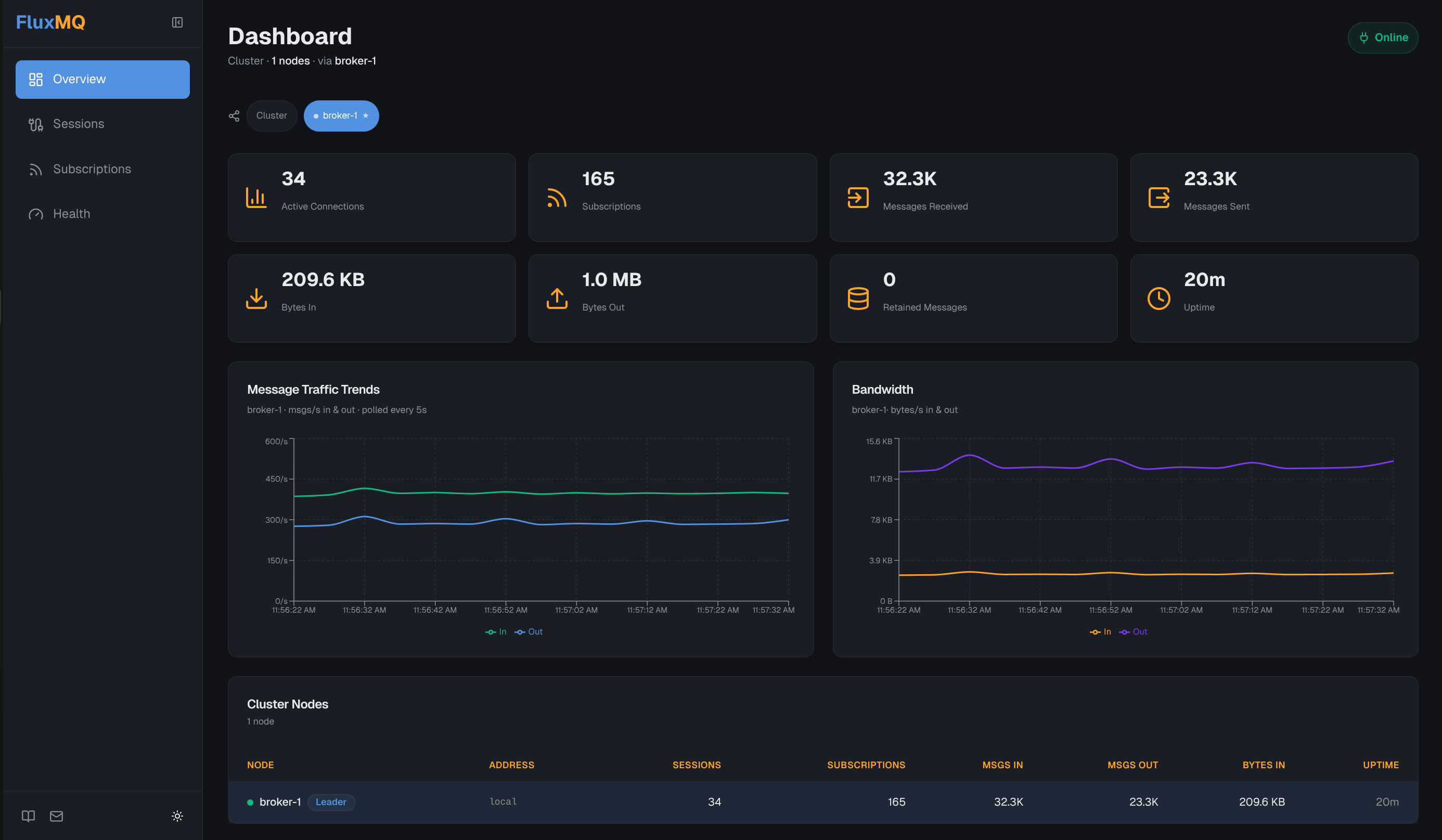
- Sessions — all sessions (connected and disconnected), filterable by protocol, with per-session detail dialogs
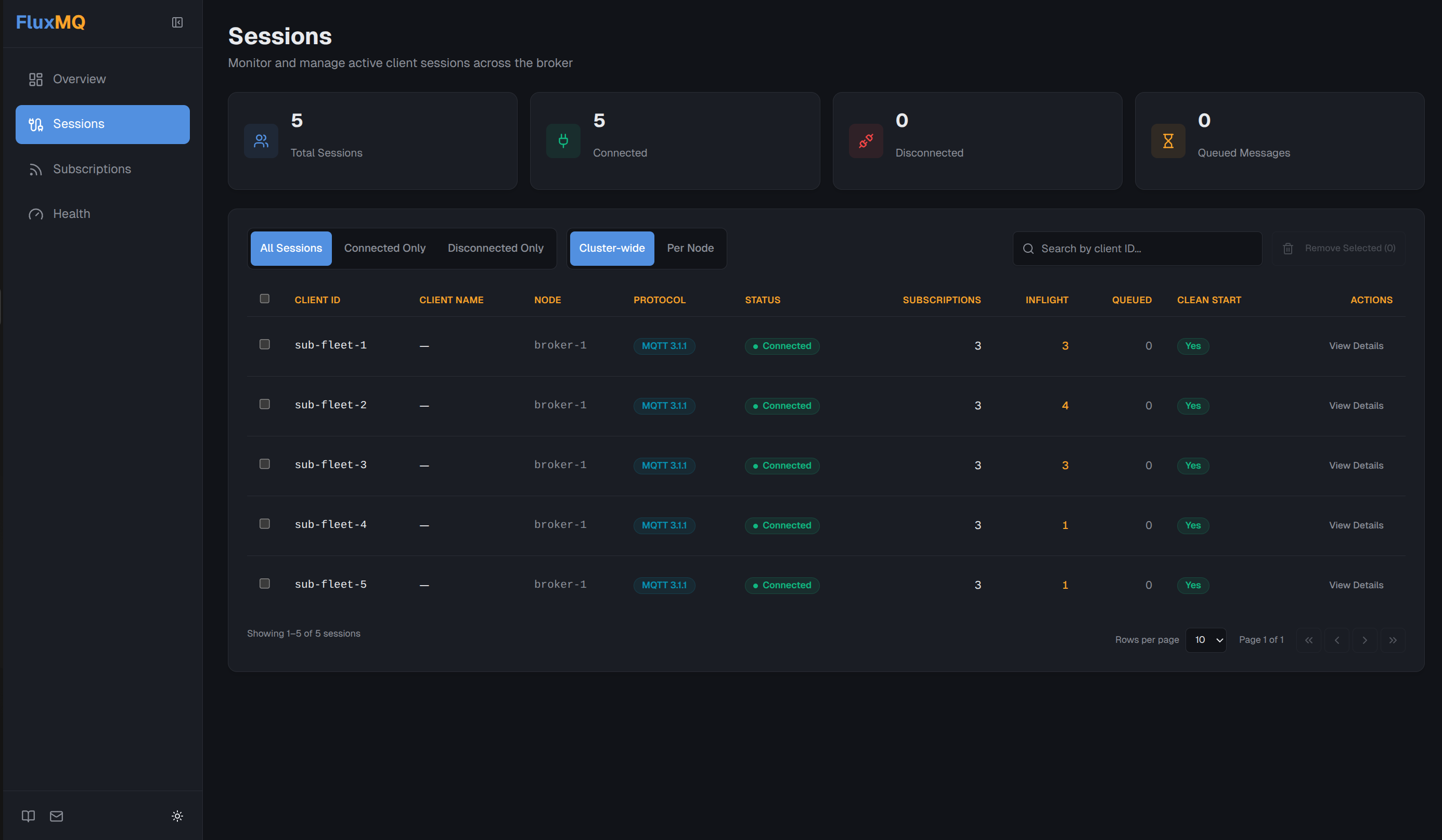
- Subscriptions — active topic filters aggregated from connected clients
- Broker Info — runtime identity, uptime, session counts, and error counters
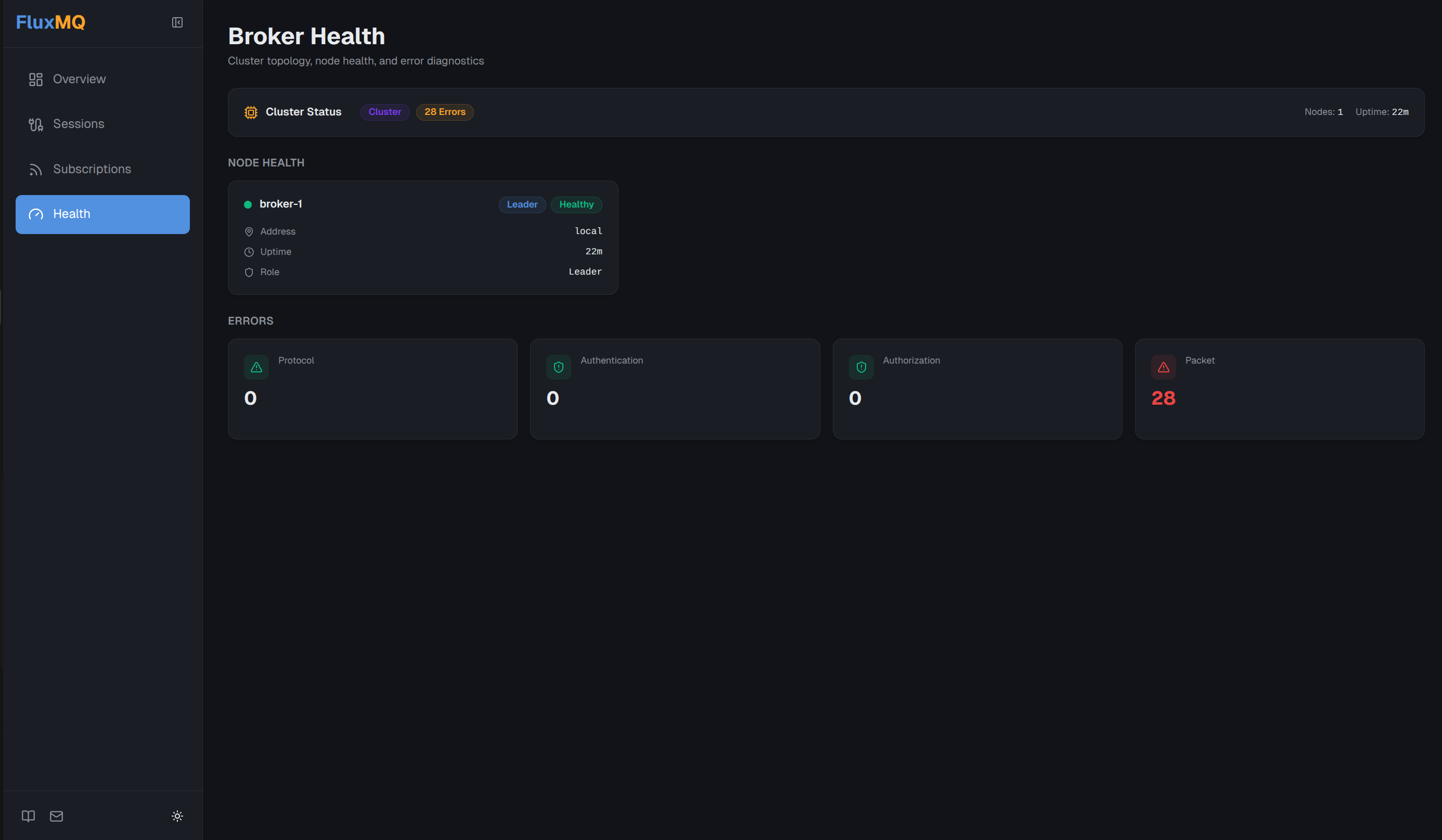
Every page polls the Admin API on a short interval so the data stays current without a page refresh.
Multi-Protocol Awareness
FluxMQ speaks MQTT v3, MQTT v5, AMQP 1.0, AMQP 0.9.1, and HTTP. The sessions page surfaces the protocol each client is using, so you can see at a glance whether you have a mix of MQTT and AMQP clients, where the load is concentrated, and whether any sessions are stuck or disconnected unexpectedly.
Design Decisions
Server-side API calls. The Admin API is only reachable from the backend, not the browser. All FluxMQ API calls go through Next.js API routes, which keeps credentials and internal URLs out of the client bundle.
Environment-driven configuration. The broker URL is set via FLUXMQ_API_URL, and for cluster deployments FLUXMQ_NODE_URLS takes a comma-separated list so per-node stats can be fetched in parallel. No hardcoded values, no rebuilds for different environments.
Mock fallback. If FLUXMQ_API_URL isn’t set, the dashboard falls back to mock data. This makes local development and UI iteration possible without a running broker.
Running It
The easiest way to get started is with docker compose:
docker compose -f deployments/docker/compose.yaml up -dThis starts FluxMQ and the dashboard together. The dashboard is available at http://localhost:3001/dashboard.
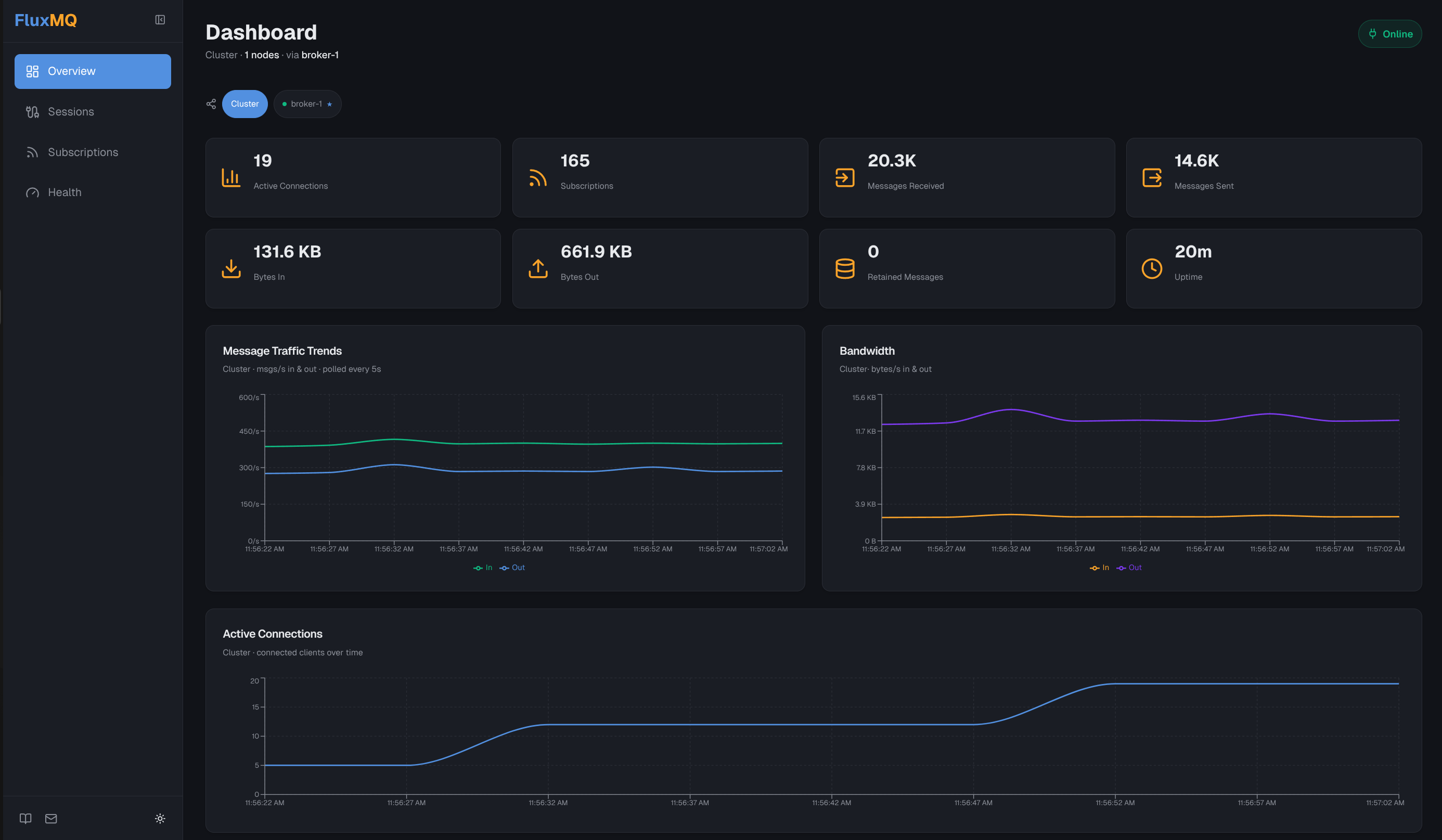
For a three-node cluster:
make docker-cluster-up
docker compose -f deployments/cluster/docker-compose.yaml up -d dashboard
The first command brings up the three broker nodes. The second starts the dashboard separately, since the cluster is typically deployed independently of the UI.
The dashboard connects to node 1 by default and fans out per-node stats across all three nodes.
What’s Next
The current dashboard covers the core operational view. Upcoming work includes alert thresholds and historical trend data.
If you have a specific use case or a gap you’re running into, open an issue on GitHub.
Get involved or stay up to date:
- 🌐 Website: https://www.absmach.eu/products/fluxmq
- ⚙️ GitHub: https://github.com/absmach/fluxmq
- 📘 Documentation: https://www.absmach.eu/docs/fluxmq
- 💬 Discord: https://discord.gg/HvB5QuzF