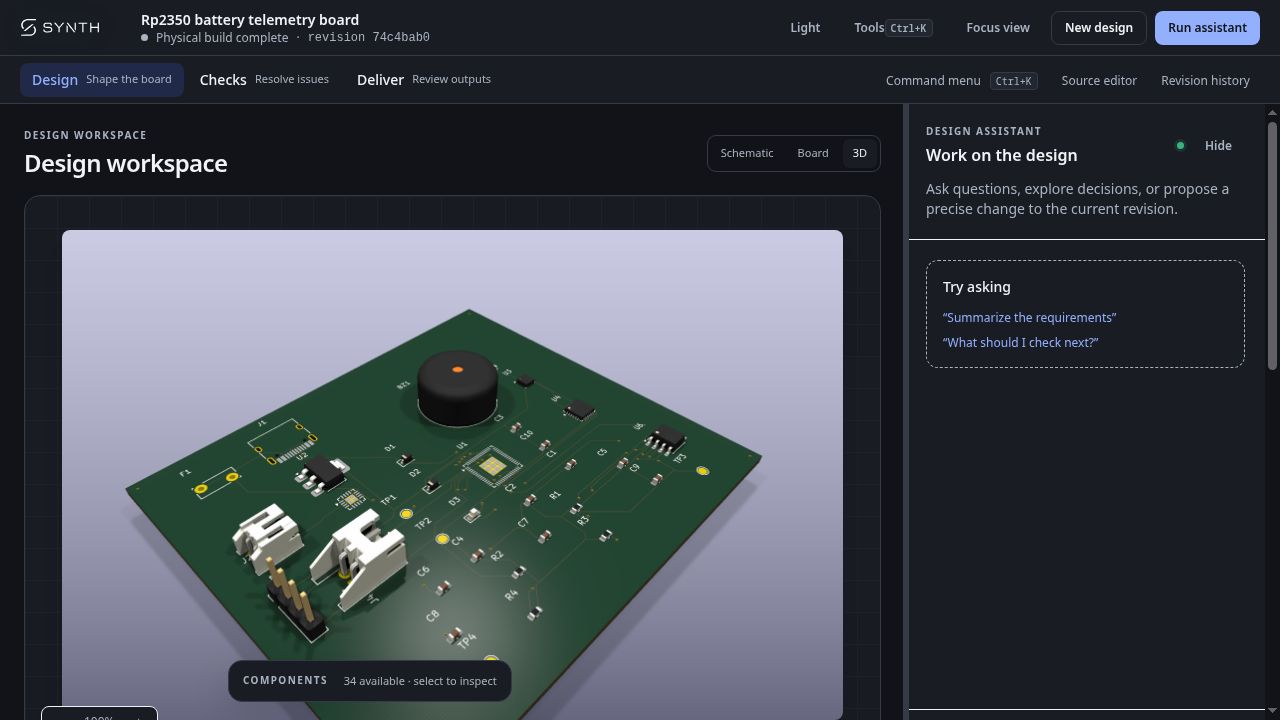
Ready
Today, Abstract Machines is open-sourcing Synth, a circuit compiler that turns text-based board designs into KiCad schematics, PCB layouts, and bills of materials. It is available under the Apache-2.0 license, with a command-line interface and tools for AI agents included.
Our ambition is to bring the software development loop to electronics: describe a design, compile it, inspect the errors, and iterate. Review a circuit change in a pull request. Run checks in CI. Give an AI agent a board brief, then inspect the source it writes and the outputs it generates.
Circuit source you can review. Compiler feedback you can act on. KiCad files you can open.
Explore Synth on GitHub · Get started
A circuit board you can read, diff, and build
Synth starts with SynthSpec, a language for describing components, connections, and board constraints in a .synth file. Engineers and agents work on the same readable source.
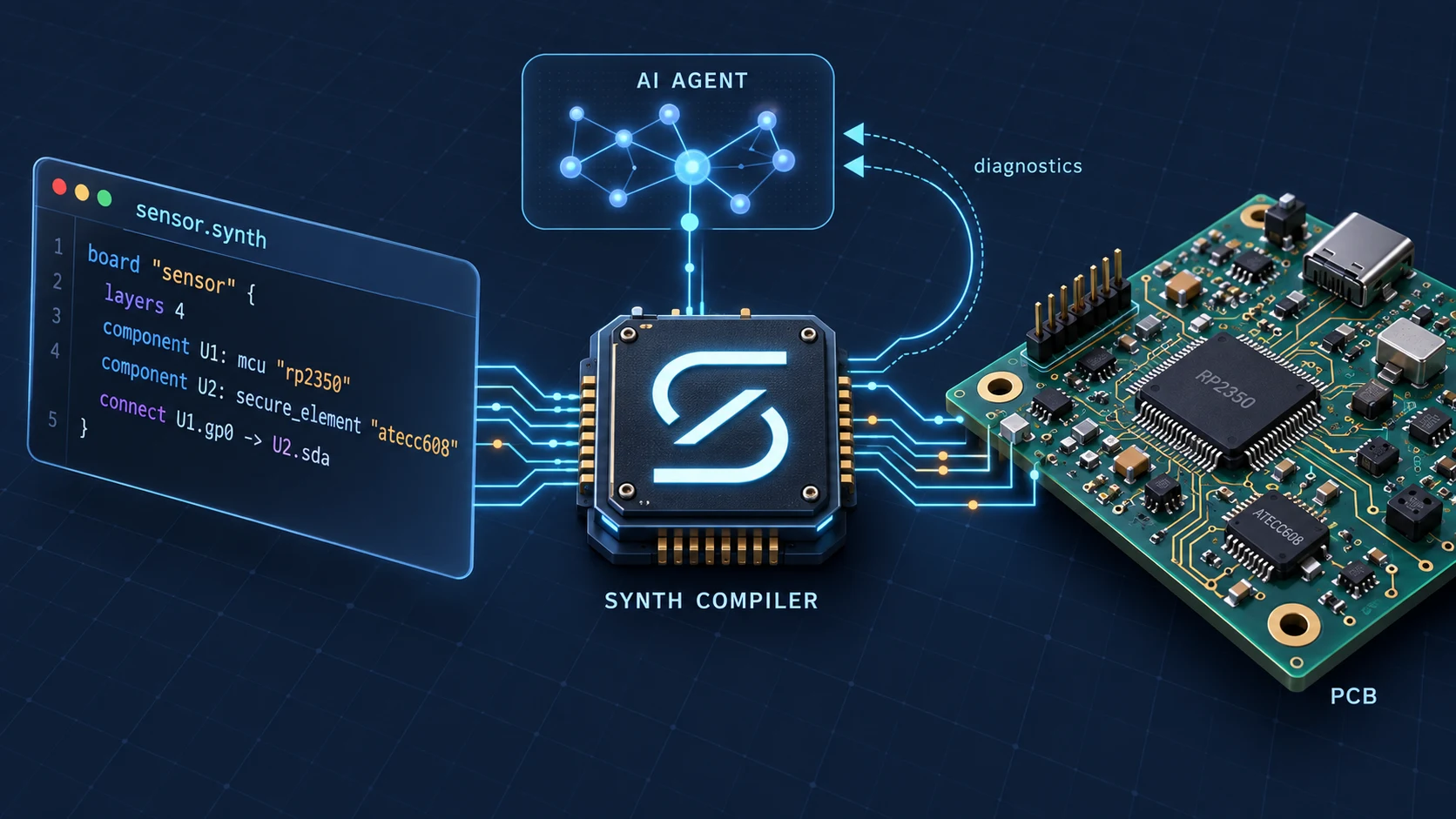
Here is a small fragment showing an RP2350 microcontroller connected to an ATECC608 secure element. It illustrates the syntax; the power connections, pull-ups, and other supporting circuitry are omitted:
board "sensor_node" {
  layers 4
  manufacturer "jlcpcb"

  component U1: mcu "rp2350"
  component U2: secure_element "atecc608"

  connect U1.gp0 -> U2.sda
  connect U1.gp1 -> U2.scl
}
Synth resolves those parts against its component registry, checks the design, and uses a typed representation of the board for placement, routing, and export. The language also supports placement hints, keepouts, and differential-pair constraints.
That changes how a team can work on hardware. A pin reassignment becomes a source diff. A compiler diagnostic points back to the design that caused it. With the compiler, registry, and settings pinned, deterministic placement and routing make builds repeatable.
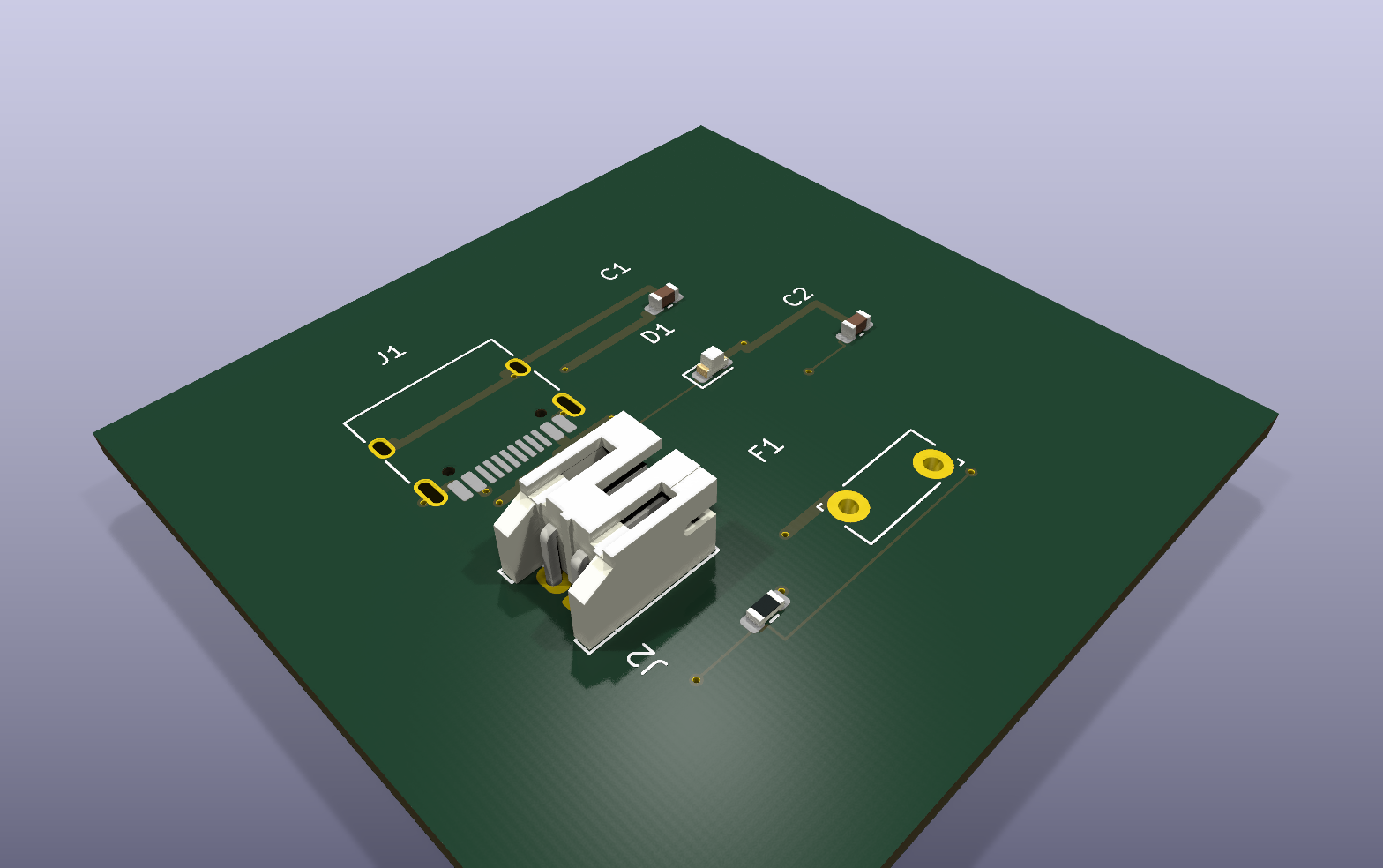
The 3D view above is generated from a KiCad board artifact, showing the board outline, components, copper, and silkscreen. Electrical and manufacturing review remain part of the workflow.
For a larger example from the Synth Enterprise workflow, you can download the field node circuit source and open its generated board in KiCad.
KiCad is where you inspect the generated schematic and board. Keep circuit changes in the Synth source and part definitions so they survive regeneration: edits made directly to generated KiCad files are overwritten on the next export.
Give your AI agent a compiler
Coding agents work through a useful feedback loop: write source, run tools, read errors, and revise. Synth brings that loop to circuit design.
The open-source project includes a Model Context Protocol (MCP) server. Connect an MCP-compatible agent and it can retrieve the language reference, search for parts and their pin definitions, validate a design, apply fixes, and invoke placement, routing, and export. You choose the agent and model.
Consider an agent that writes U1.gpo instead of U1.gp0. Synth’s resolver reports E-SYNTH-COMP-002: an undefined pin, with a source location and suggested replacements. The agent can use that feedback to make a focused correction:
- connect U1.gpo -> U2.sda
+ connect U1.gp0 -> U2.sda
You can review the edit, rerun the checks, and inspect the resulting artifacts. This is the central idea behind Synth: make hardware design a workflow an agent can participate in and an engineer can verify.
What we are open-sourcing
Synth Community Edition includes the tools to run that workflow yourself:
- The language and compiler: SynthSpec parsing, part resolution, and a typed board representation.
- Electrical and physical checks: electrical-rule checks (ERC), design-rule checks (DRC), and structured diagnostics with source locations and suggested fixes where available.
- Placement, routing, and KiCad export: schematic and PCB generation, plus a bill of materials. Optional fabrication exports use
kicad-cli. - An extensible component registry: part definitions, project and user overlays, and import and authoring tools.
- CLI and agent tools: local commands, JSON diagnostics, and the MCP server.
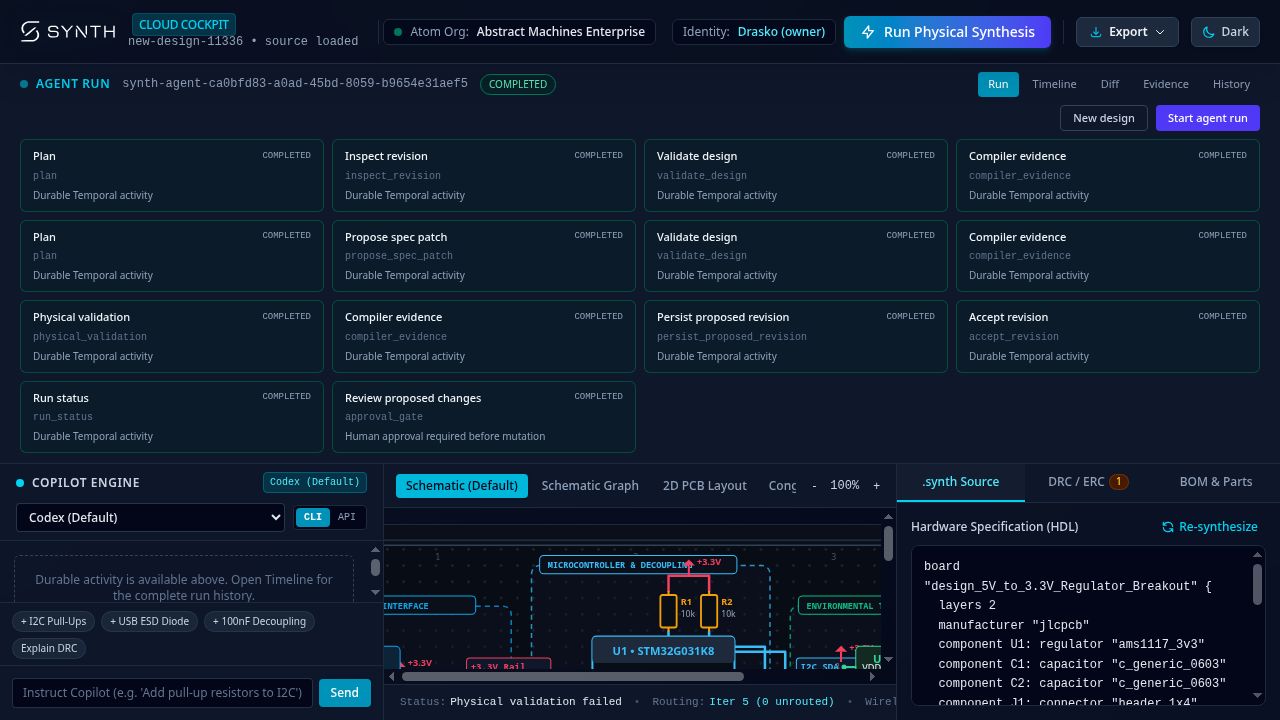
We are also developing Synth Enterprise on this foundation, with a managed service, a custom agent harness, and engineering team support. Its cockpit preview brings agent runs, source, diagnostics, and design views together. Explore the editions or talk to us about your workflow.
Why we are opening it now
A circuit compiler becomes more useful with every well-described component, reproducible bug report, and design that tests its assumptions. Opening Synth lets hardware engineers, software developers, and agent builders improve the same foundation.
You can inspect how a rule works, extend the registry for your components, and adapt the tools to your own development process. We want circuit design to benefit from the shared tools and review practices that make open-source software productive.
Synth is early. Component coverage, layout quality, and routing need to improve across a wider range of boards. Passing compiler checks establishes that a design satisfies the implemented rules; engineers still need to review component data, inspect KiCad outputs, and validate the hardware before manufacturing. Expanding that coverage and making failures easier to diagnose are central to the work ahead.
Try Synth today
With a current stable Rust toolchain and Cargo installed, clone the repository and export the minimal example:
git clone https://github.com/absmach/synth.git
cd synth
cargo build -p synth-cli
cargo run -p synth-cli -- validate fixtures/designs/hello.synth
cargo run -p synth-cli -- export-kicad fixtures/designs/hello.synth --out output/hello
This example is an empty two-layer board: a small first check of the compile-and-export path. Open the generated project in KiCad, then explore the environmental logger and other circuit examples.
To connect your own agent, start the MCP server from the same checkout:
cargo run -p synth-cli -- mcp --stdioThe MCP guide covers agent integration, and the KiCad workflow guide explains export and review.
Bring a board you want to build. Try an example, add a component, or share a design that challenges the compiler. Contributions to the compiler, registry, examples, and documentation are welcome.
Star Synth on GitHub and help us build an open foundation for programmable circuit design.