
Bootstrap
Configure devices to auto-connect securely from the UI
Overview
Bootstrap lets a device fetch its own runtime configuration on first boot (or whenever it needs to recover), instead of having that configuration baked in or entered by hand. A device that only has bootstrap credentials — an External ID and External key — can call the Bootstrap service and receive back the configuration it needs to start talking to Magistrala.
Bootstrap is separate from creating Devices and Channels directly: those are provisioned as usual through Device Management, and Bootstrap stores its own enrollment record referencing them.
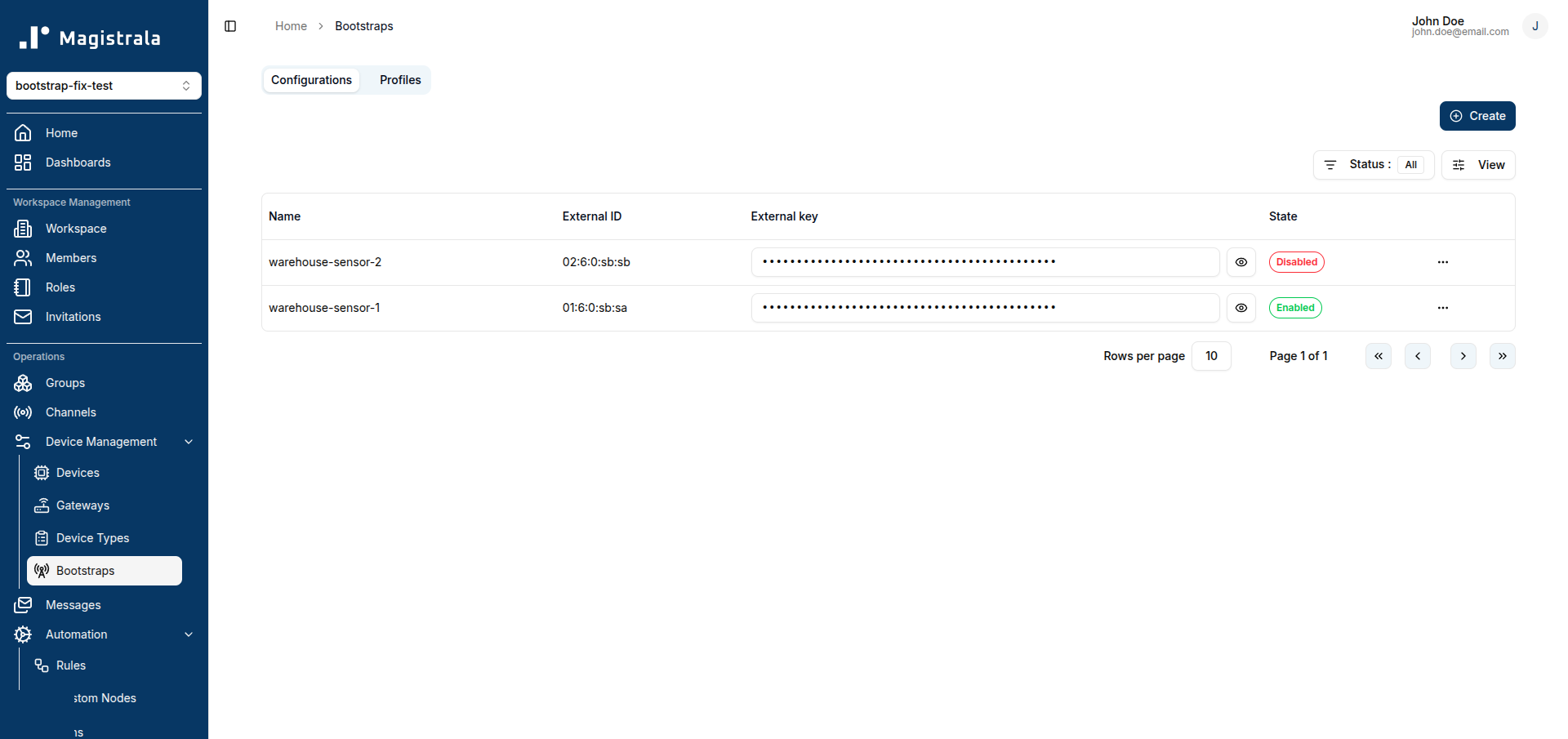
Bootstrap appears in the sidebar under Device Management, alongside Devices, Gateways, and Device Types, at /workspace/{workspaceId}/bootstraps.
Bootstrap Profiles
A Profile is a reusable template that says how a device's configuration should be rendered — you write it once and reuse it across every device of that type (e.g. "Raspberry Pi temperature sensor").
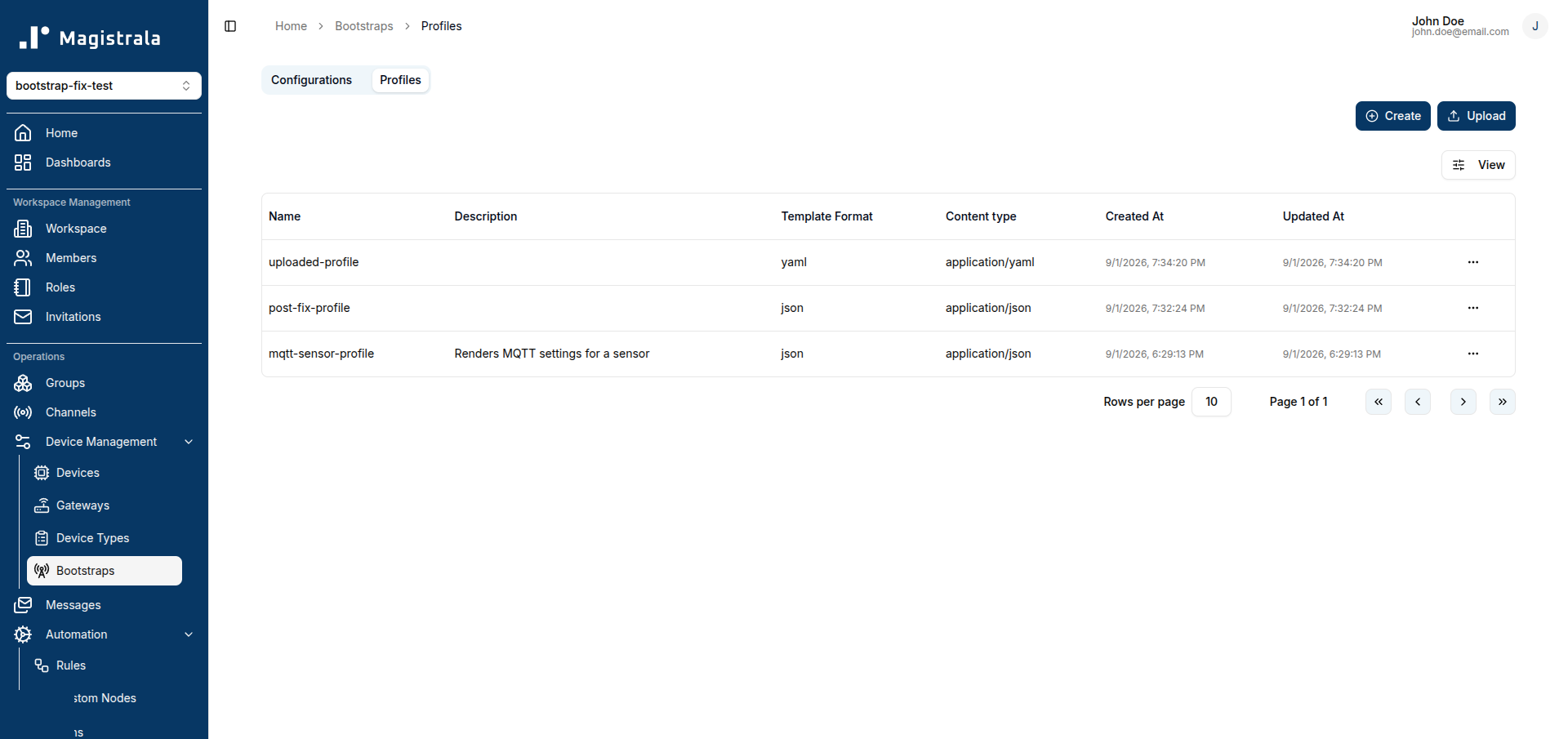
To create one, go to Bootstrap → Profiles and click Create:
- Name (required)
- Description (optional)
- Template Format — the format the rendered configuration is produced in
- Content Template — the template body itself
- Binding Slots — named placeholders the template needs filled in before it can render (each slot has a name, a resource type of
deviceorchannel, and whether it's required)
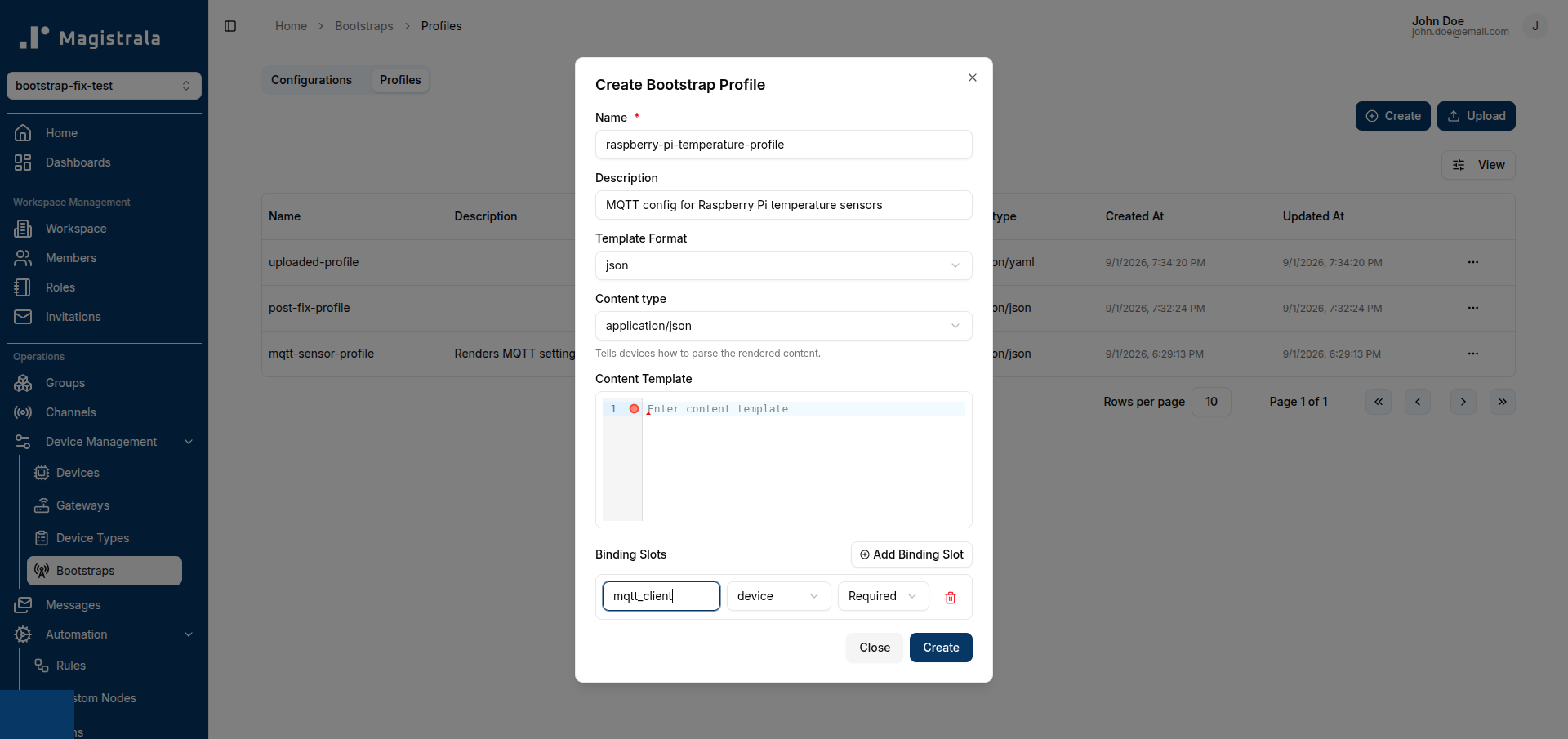
A slot doesn't create anything by itself — it declares what a Bootstrap Config binding to this profile still needs to attach (e.g. a specific Channel for telemetry) before that device's configuration can render. A slot's type must match exactly when you bind a resource to it later — a device slot needs a Device bound to it, not a Channel, and vice versa.
Bootstrap Configs
A Config is the actual per-device enrollment record. To create one, go to Bootstrap → Configs and click Create:
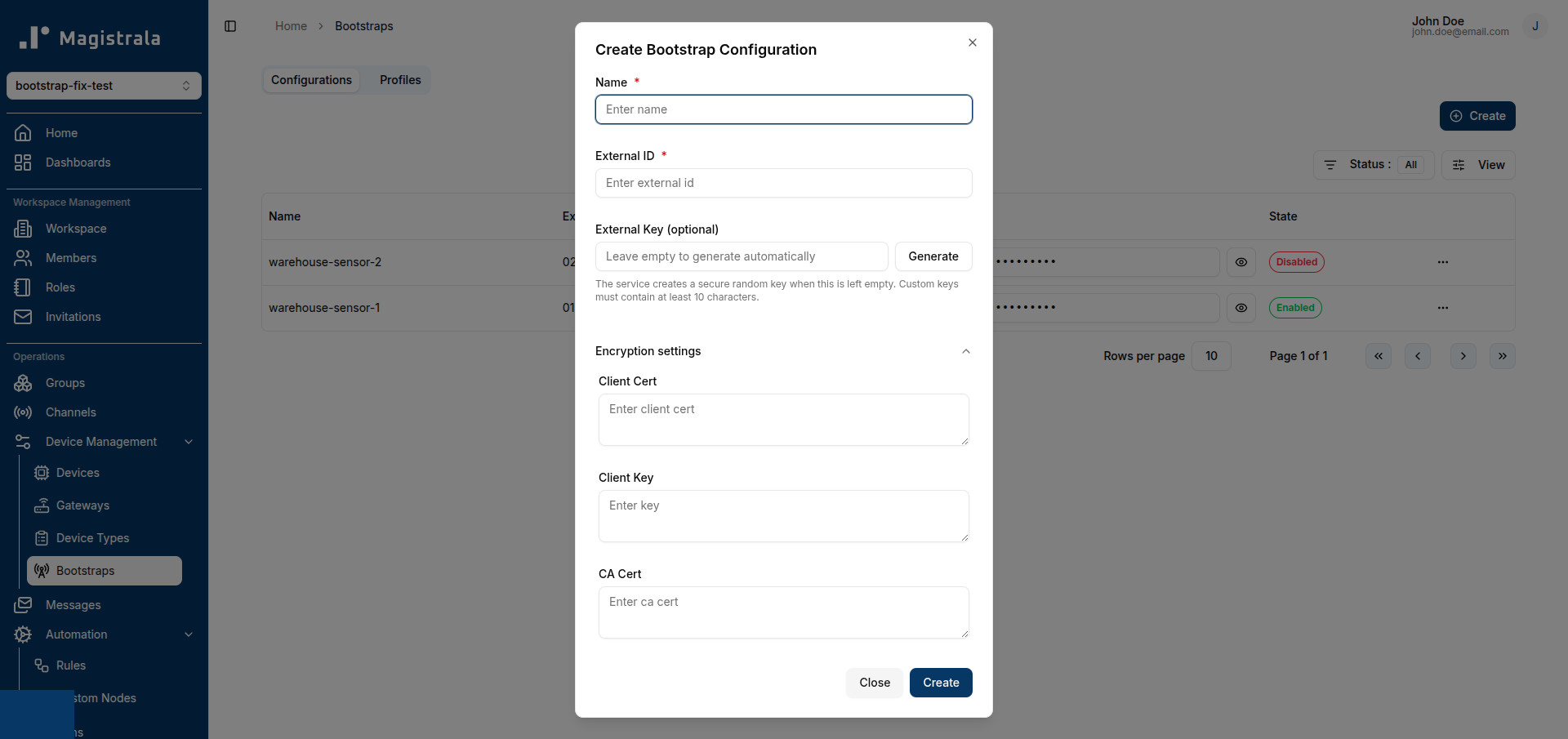
- Name (required)
- External ID (required) — the identifier the device itself will present when it calls Bootstrap
- External Key (optional) — the credential the device presents alongside its External ID. Leave it blank (or click Generate) and Bootstrap creates a strong random one for you; a custom key must be at least 10 characters.
- Client Cert / Client Key / CA Cert (optional, legacy) — under Encryption settings; only needed for the older certificate-based bootstrap flow
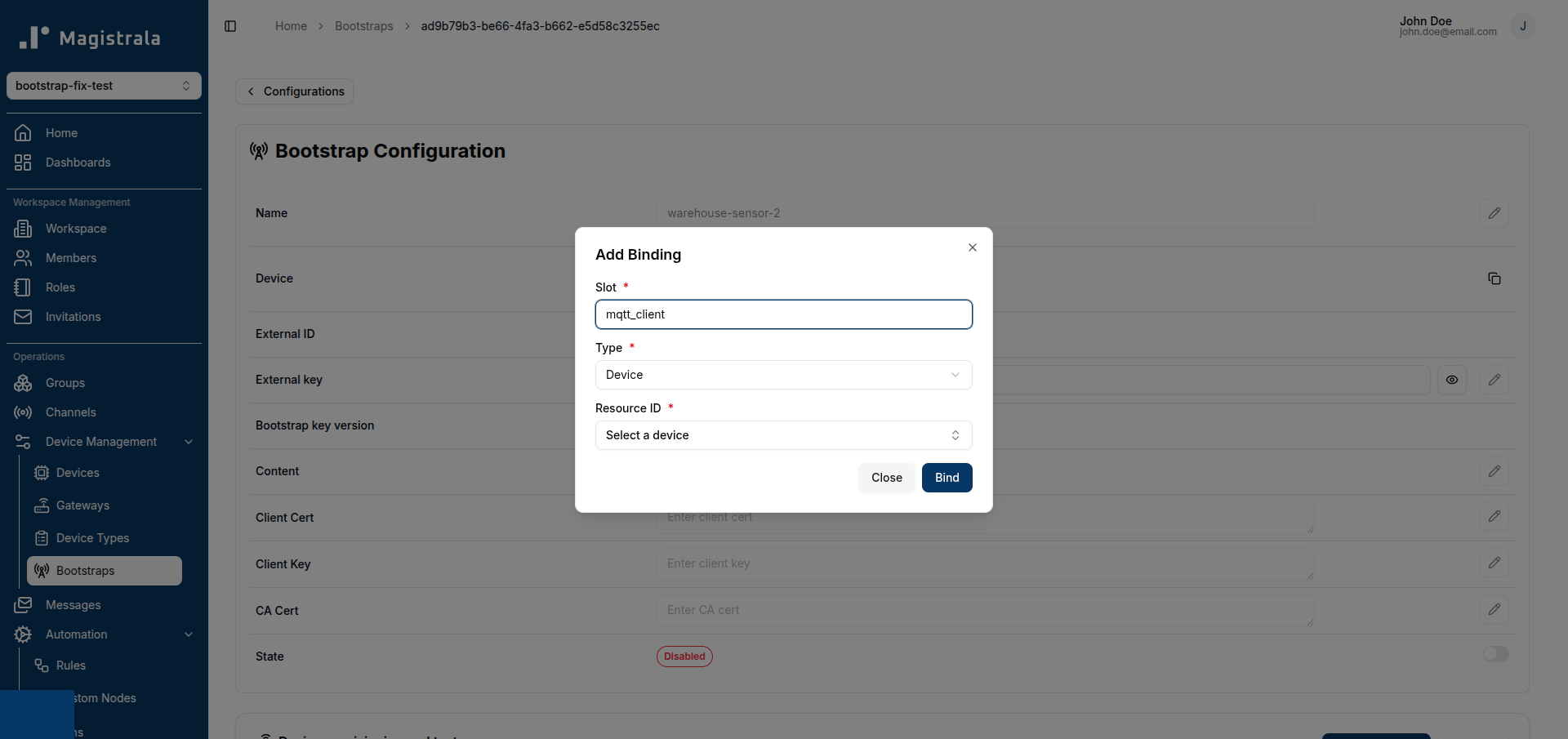
A Profile is not selected at create time. Once the Config exists, assign a Profile to it with the Assign Profile action on the Config's detail page, then use Add Binding there to bind the resources its Profile's slots ask for (a Channel for a telemetry slot, for example). Binding copies a snapshot of that resource into the Config, so the device's own bootstrap call never has to reach Devices or Channels directly — it renders entirely from what's already stored on the Config, its Profile, and those snapshots.
Bootstrap keeps your External Key recoverable, not just write-only: click Reveal external key on the Configs list or a Config's detail page to read it back, for example to copy it onto a device during provisioning.
Listing and filtering Configs
The Configs tab filters by Status: Enabled, Disabled, or All. Configs are created enabled by default, so the list shows only enabled Configs unless you switch the filter. Use the row menu (or the switch on a Config's detail page) to Enable/Disable a Config — disabling it blocks device bootstrap calls without deleting the enrollment, which is useful while you're still setting up its Profile and bindings.
How a device bootstraps
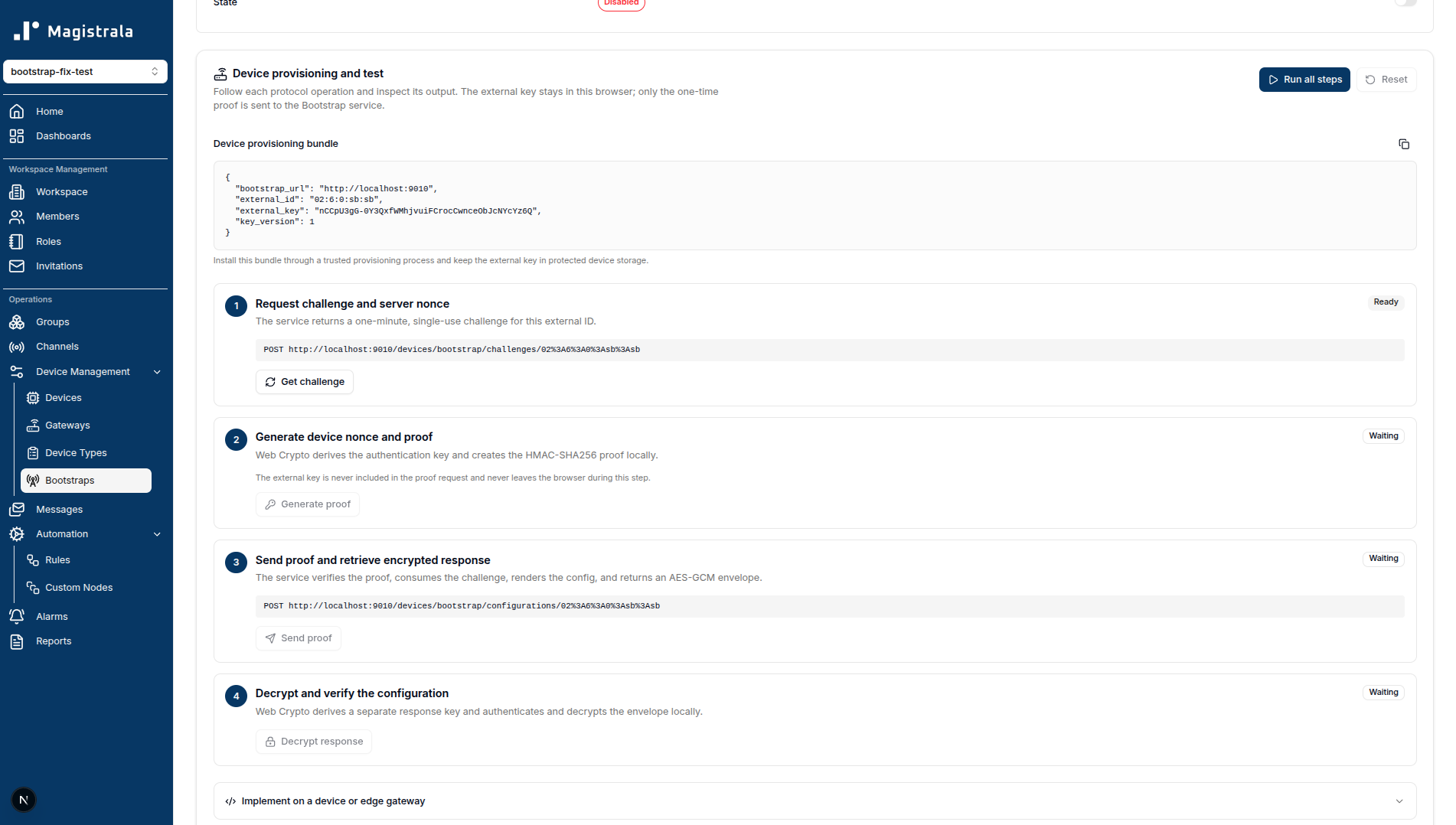
A device that only has its External ID and External key requests a short-lived, single-use challenge from Bootstrap, then proves it holds the External key without ever sending the key itself. Bootstrap verifies that proof, renders the Config (using its Profile and binding snapshots, if any), and returns the configuration to the device in an encrypted response — the device now has what it needs to connect and doesn't need to be given a Device ID/secret by hand.
A Config's detail page includes a Device provisioning and test panel that runs this exact exchange against your workspace, step by step, so you can confirm a Config renders correctly before shipping credentials to a real device.
For the full data model (Config/Profile/Binding slot/Binding snapshot) and the service-level API, including the device bootstrap protocol, see the Bootstrap dev-guide page.