
Device Attributes, Commands, and Versions
Declare a device type's attributes and commands, manage versions, and bind a device to a version
What a Device Type actually declares — its device attributes and commands — lives on a version, not on the type itself. That declaration is immutable: once a version is created, its attributes and commands can't be edited. To change what a type declares, publish a new version.
Because a version's declaration is immutable, a device that's bound to one version keeps validating against exactly that declaration forever — publishing a new version never invalidates devices already deployed against an older one. A version's status, unlike its declaration, isn't fixed at creation — see below.
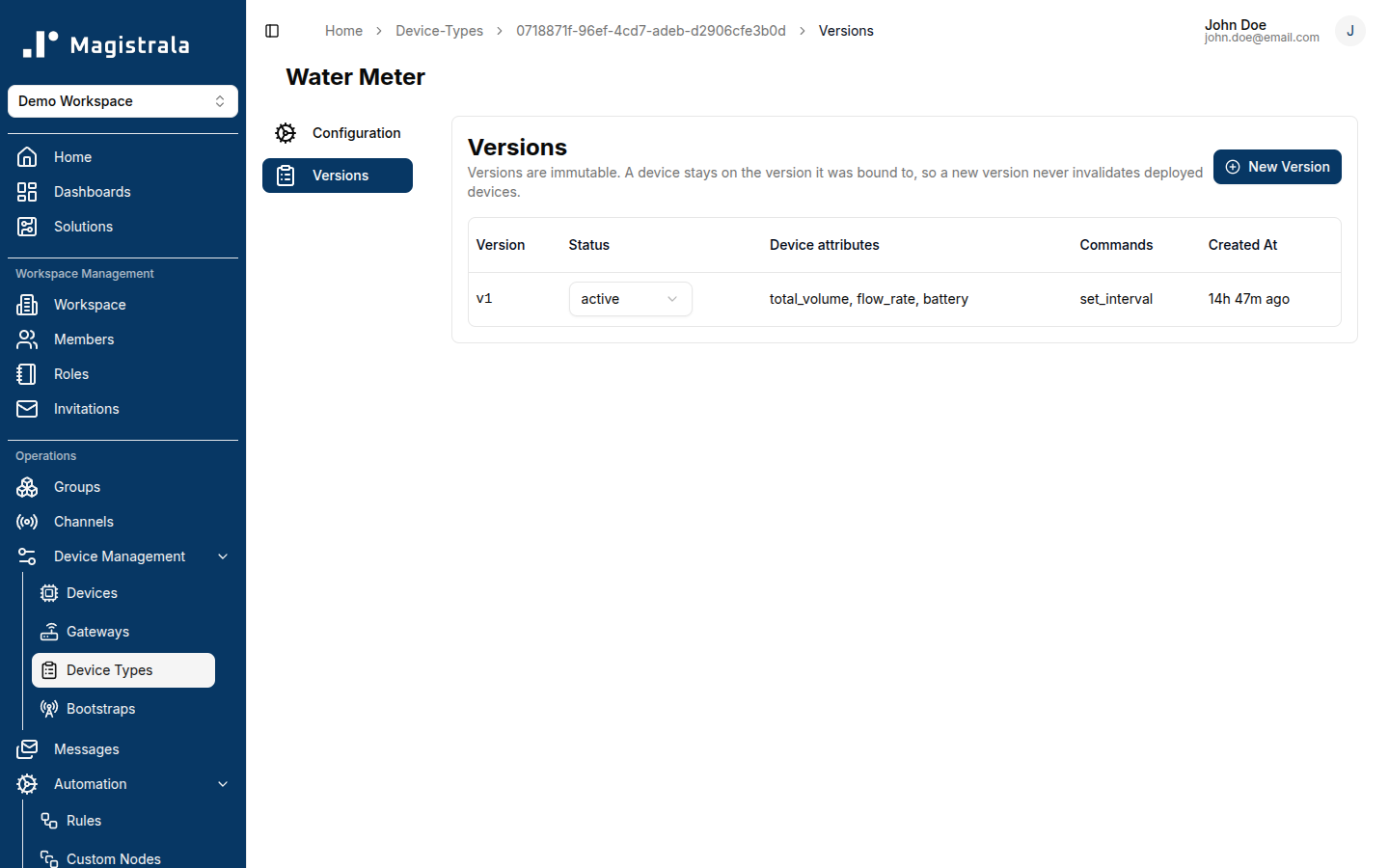
Version status
| Status | Meaning |
|---|---|
| Draft | Staged, not yet bindable. Use this to prepare a declaration before exposing it. |
| Active | Bindable. Only an active version can be bound to a device. |
| Deprecated / Disabled | No longer bindable to new devices; devices already bound to it are unaffected. |
A version's status is changed from the Status column on its Versions tab, independently of its attributes and commands — that part alone stays editable after creation, moving the version through Draft → Active → Deprecated/Disabled as needed.
Binding without naming a specific version always resolves to the latest active version.
Declaring device attributes
Device attributes are added from the New Version dialog, under Device attributes. Each one has:
- Name – the attribute's identifier (e.g.
total_volume) — what device writes reference. - Type – number, integer, string, or boolean.
- Label – optional display label shown in the device's own attribute form.
- Placeholder – optional placeholder text for that form.
- Help text – optional, also shown in the device's own attribute form (commonly used to note a unit, e.g.
Unit: m3). - Minimum / Maximum – optional numeric range.
- Allowed values – optional, comma-separated (e.g.
open, closed). - Required – optional checkbox.
Use Add device attribute to declare more than one, and the trash icon to remove one before creating the version.
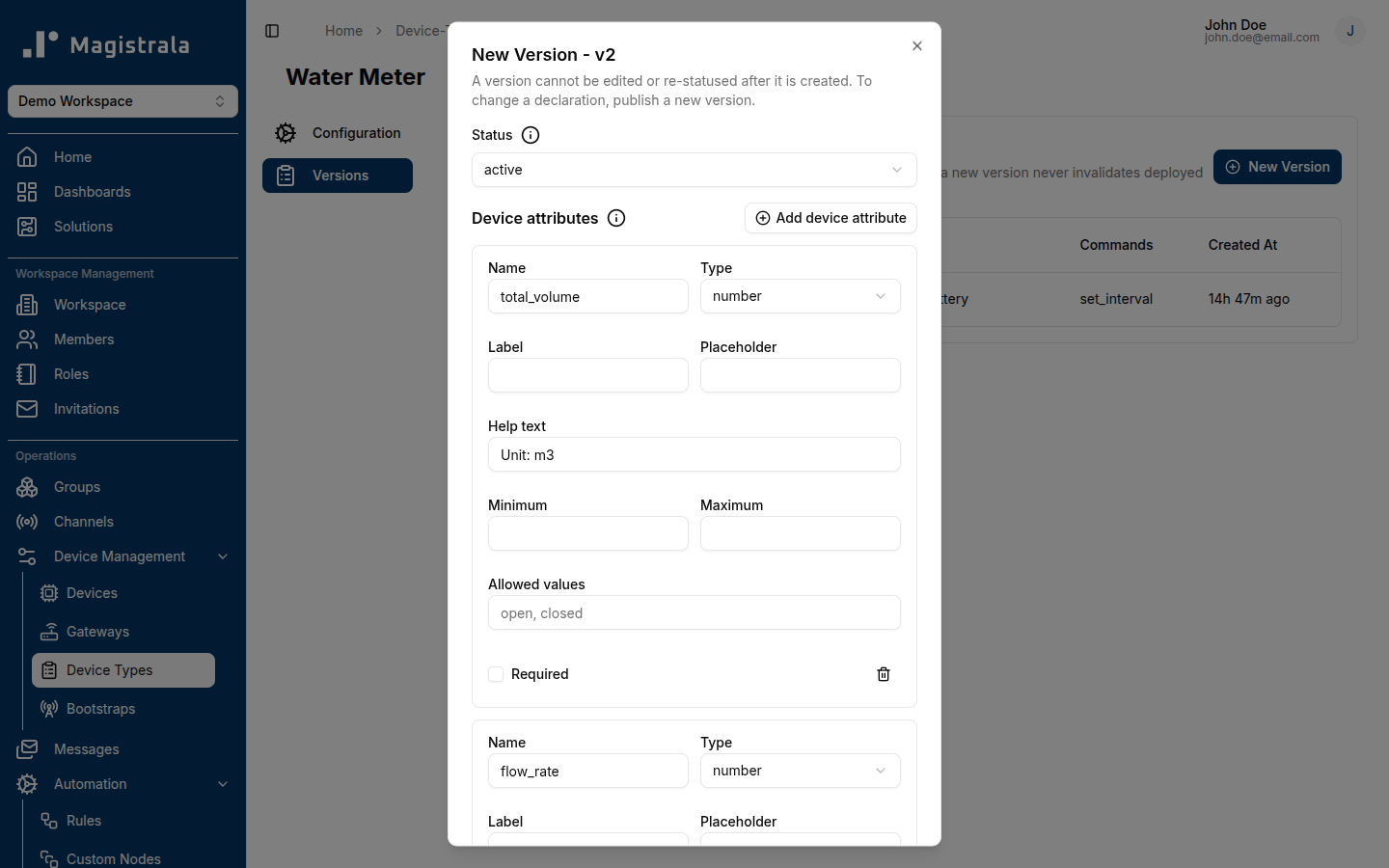
Device attributes are stored on the device and validated on every write — not against published telemetry messages. A Device Type constrains what a device's attributes look like, not what it publishes to a channel.
Declaring commands
Commands are added under Commands in the same New Version dialog, each with a Name, optional Description, and Parameters (comma-separated name:type pairs, e.g. seconds:integer).
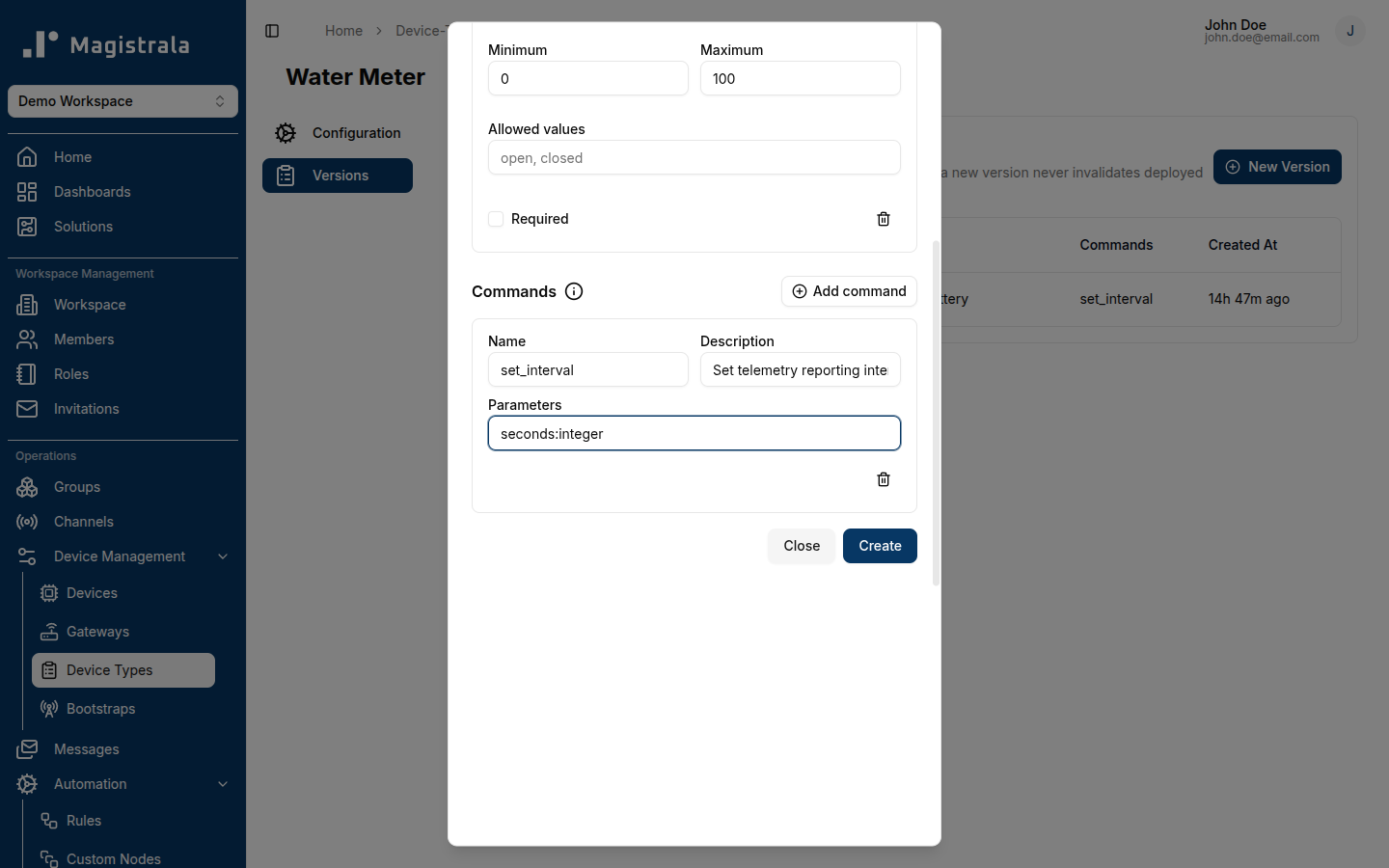
Declaring a command documents that a device of this type accepts it — it does not dispatch or route the command anywhere. Actually sending a command to a device is a separate concern outside Device Types.
Binding a device to a Device Type
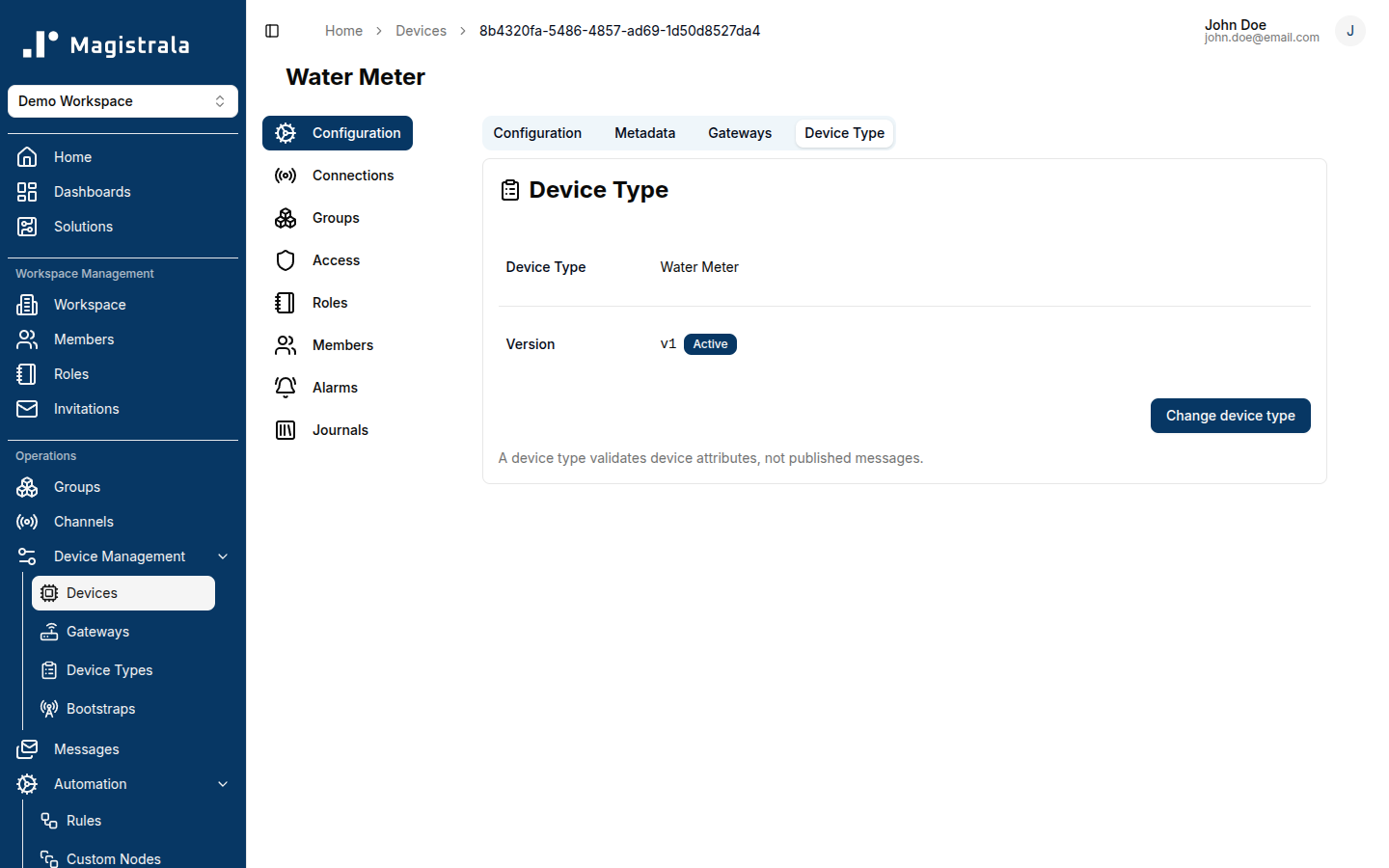
From a device's own Device Type tab, use Bind device type (or Change device type if it already has one) to select a Device Type and, optionally, a specific version — leaving the version unselected binds to the type's latest active version.
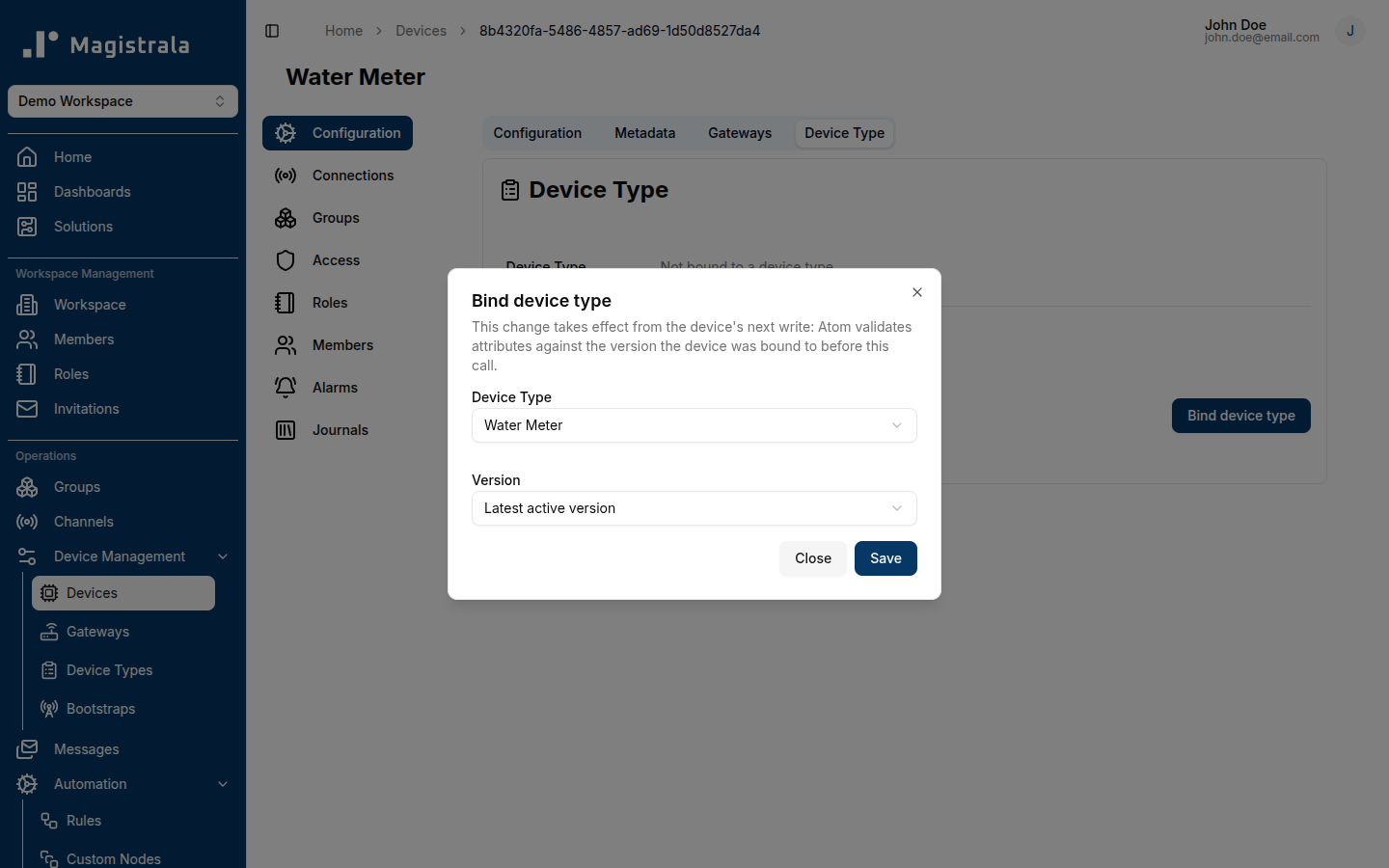
A device with no Device Type bound shows as Not bound to a device type and accepts any attributes. Once bound, the tab shows the bound type, its version, and switches the action button to Change device type.
A binding change takes effect starting with the device's next write: the write in progress at the time of the change still validates against whichever version the device was bound to before the change. There is no way to unbind a device from a Device Type once bound — only to bind it to a different one.