
Gateways
Create a Gateway, declare which Devices it relays for, and understand how gateway-relayed data is attributed and authorized.
A Gateway is a capability, not a container
A Gateway does not contain the devices it relays for, and it is not a group. It is a reachability path: removing a Gateway does not delete the devices behind it — they simply become unreachable through that path until reconnected another way. A Gateway's own telemetry (CPU, uptime, link quality) is ordinary device data, published as itself.
A Gateway also cannot relay through another Gateway — gateways do not chain. A device that has gateway mode enabled cannot itself declare gateways of its own, and the platform rejects a write that would leave a device both.
Creating a Gateway
A Gateway is created the same way as any Device, with Gateway mode turned on.
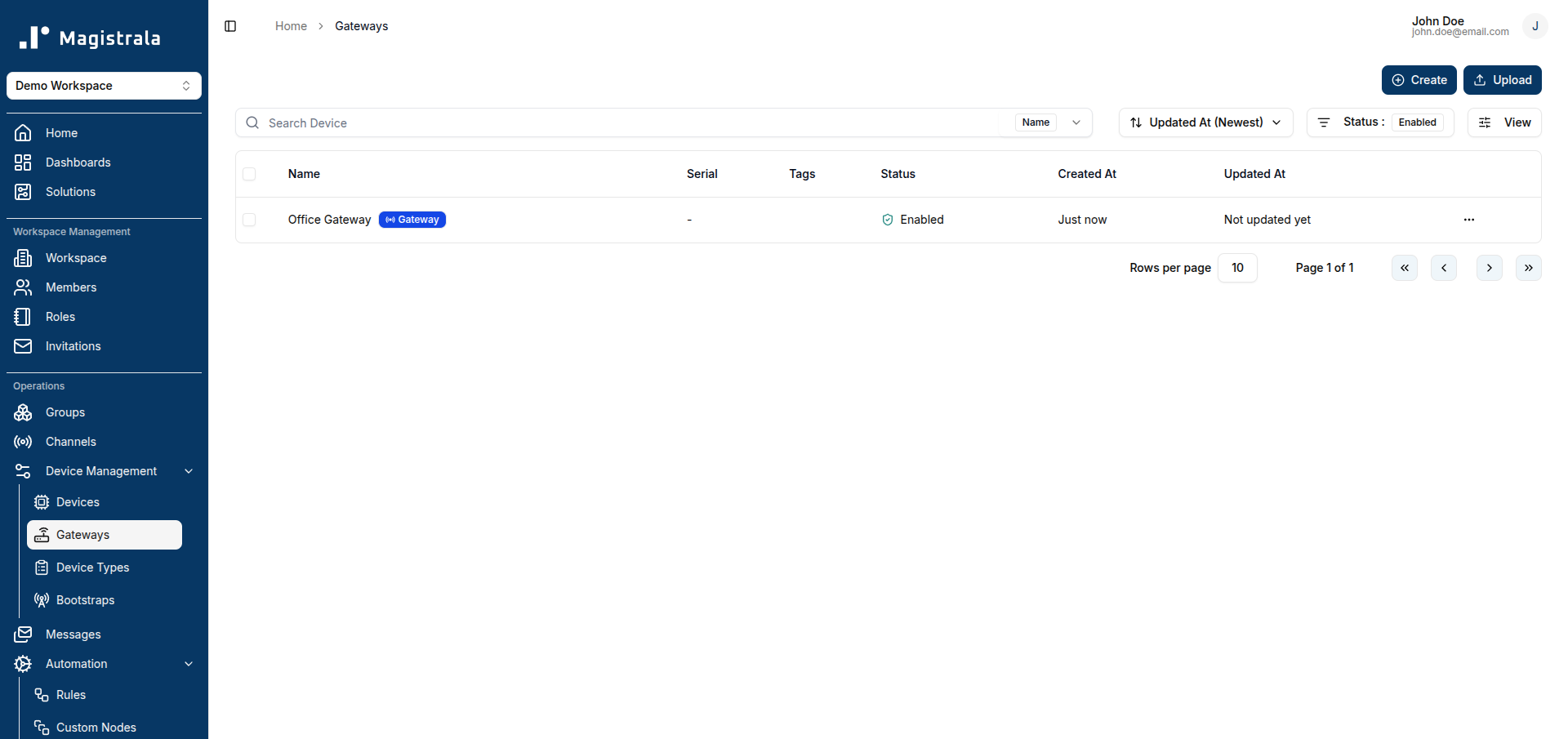
The Gateways page (under Devices) lists every device with gateway mode enabled — it is a filtered view of your devices, not a separate list. Clicking + Create opens the same device creation dialog used for regular devices, with gateway mode already enabled.
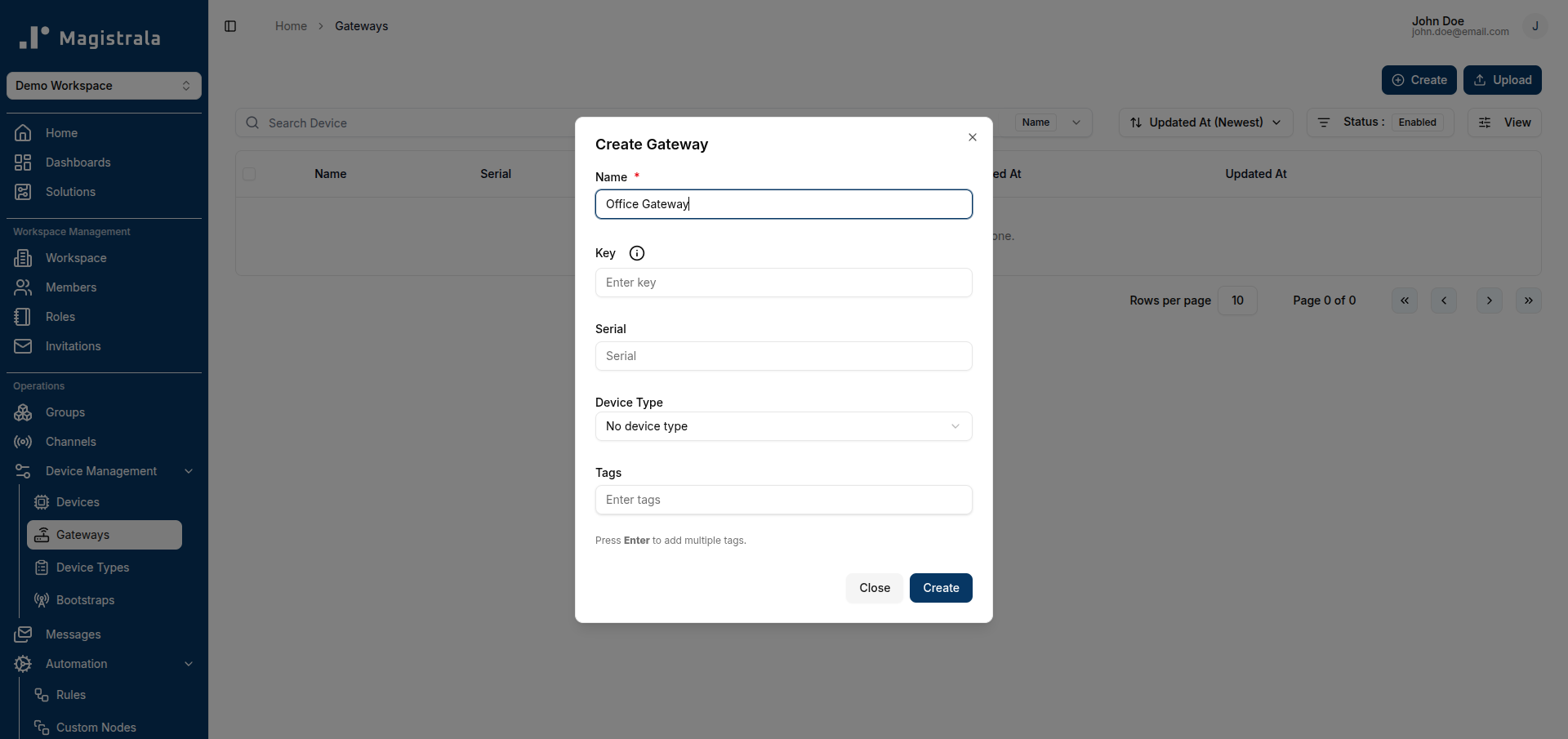
Gateway creation counts against the same device quota as any other device — creating ten Gateways uses ten of your plan's device allowance.
An existing device can also be turned into a Gateway later by enabling Gateway mode from its settings, and a Gateway can be turned back into a regular device by disabling it — as long as it currently declares no devices of its own gateways.
Declaring devices on a Gateway
Open a Gateway's detail page to see its Devices panel — the devices that declare this Gateway as one of their reachability paths.
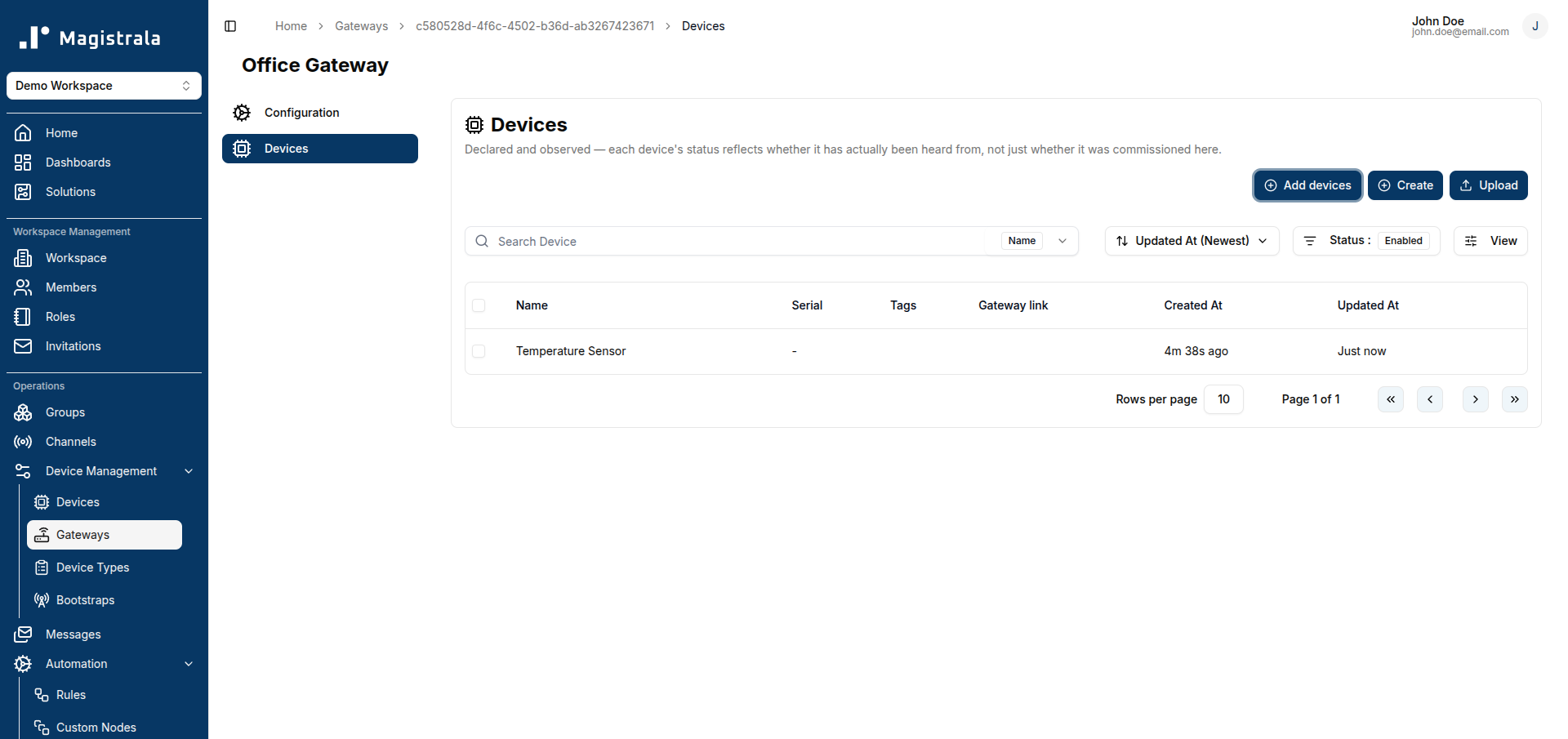
Click Add devices to declare one or more existing devices on this Gateway. The picker only offers devices that are not already Gateways themselves and are not already declared on this one.
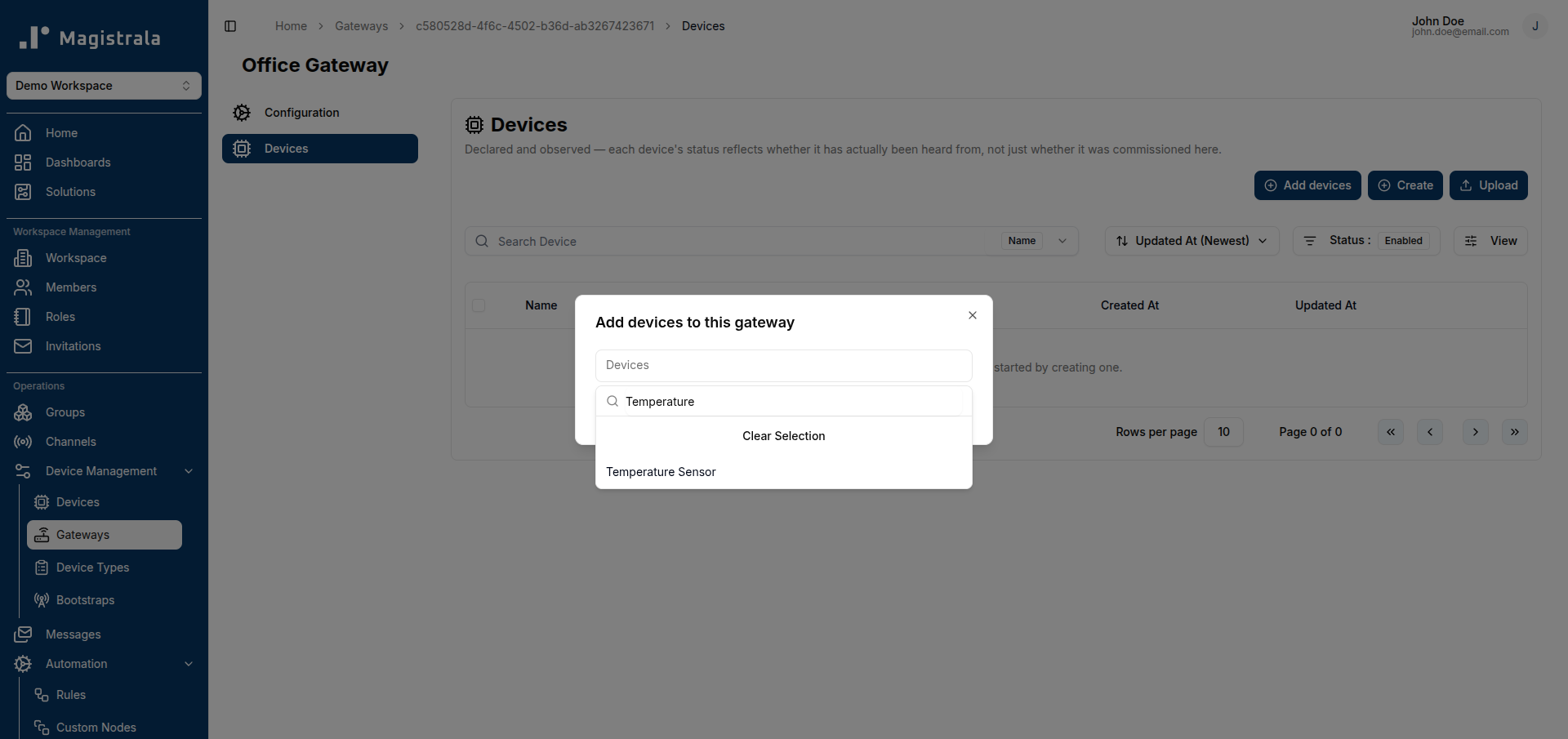
A device can declare more than one Gateway at once — useful when the same sensor is reachable through two different relays. Declaring a device on a Gateway does not move or copy the device anywhere; it only adds this Gateway to the device's list of reachability paths.
From a device's own detail page, the reverse view is available too: which Gateways have actually relayed its traffic, including ones that relayed it without it being formally declared there first (shown as Undeclared gateways) — useful for spotting a relay relationship that was never registered on the platform.
Declared vs. observed devices
The Devices panel on a Gateway shows every device declared on it, and — where the platform's message-history lookup for this is available — whether each one has actually been heard from:
- Healthy — declared and has sent data recently.
- Silent — declared, but hasn't been heard from.
- Undeclared — traffic has been seen through this Gateway from a device that was never declared on it (an uncommissioned device, or another device's traffic reaching this Gateway unexpectedly).
Declared-only view
When the underlying message-history lookup isn't available, this panel falls back to showing only what has been declared on the Gateway, with no liveness information — it is a commissioning list, not proof that a device is currently reachable. The page always states which mode it's showing.
How gateway-relayed data is authorized
Every message is attributable to two identities: who actually published it (the Gateway's own credentials) and whose data it is (the originating device, carried in the message payload). For a device publishing for itself, those are the same thing. For a Gateway relaying on behalf of another device, they are not.
This matters for access control: a user granted access to one specific device can only read messages attributed to that device — including ones relayed through a Gateway carrying many other devices' traffic — never the Gateway's full mixed stream. Being able to publish to a channel does not, by itself, grant read access to everything flowing through it.
Gateway trust boundary
The platform does not restrict which devices a Gateway is allowed to relay for beyond what it has been credentialed to publish on — there is no separate approval step for "this Gateway may only speak for these devices." The channel a Gateway publishes to is the actual trust boundary: anything holding valid publish credentials for that channel can attribute a message to any device identity in the payload. Only grant Gateway publish credentials to trusted infrastructure, the same way you would for any device that can speak for others.
Community and Enterprise
Gateway mode, declaring devices, and the authorization behavior above are available in both editions. Enterprise-only surfaces that visualize device data — such as Dashboards and Alarms — apply their usual edition gating on top, but do not treat Gateway-relayed devices any differently from directly-connected ones.